Why Your Best Play Never Made It Into the Clip: The Tech Behind Capturing Clutch Moments
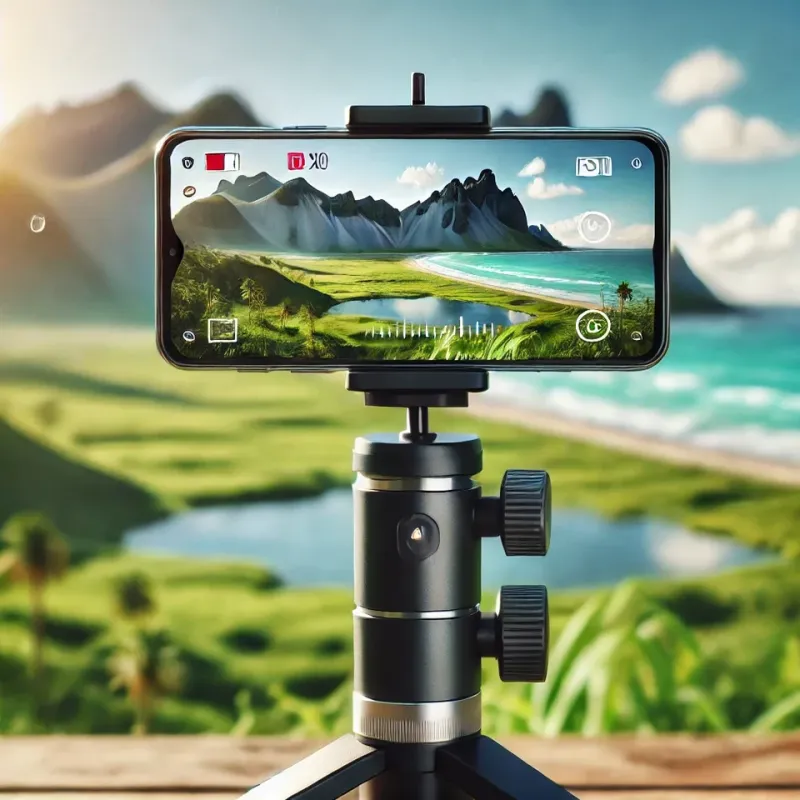
Photo: Abadio06, CC BY-SA 4.0, via Wikimedia Commons
You know the feeling. You just executed a five-brawler wipeout with one tick of health left on the Gem Carrier, the crowd noise hits, your thumbs are shaking — and the screenshot you frantically grabbed looks like a blurry mess of half-rendered characters mid-teleport. The moment was real. The proof? Nonexistent.
This isn't bad luck. Well, not entirely. There's a whole layer of technical reality sitting between your most insane plays and the clips that actually make it onto the feed. Frame rates, device refresh cycles, screenshot buffer delays — all of it conspires against you at the worst possible times. Let's pull back the curtain on why this keeps happening and, more importantly, how to stack the odds back in your favor.
The Frame Rate Problem Nobody Talks About
Brawl Stars runs at up to 60 frames per second on supported devices, which sounds great until you realize that each of those frames exists for roughly 16 milliseconds. That's 0.016 seconds. Human reaction time for a visual stimulus clocks in somewhere between 150 and 300 milliseconds on average. Do the math: by the time your brain registers that something screenshot-worthy just happened and your finger moves to capture it, you've already blown past anywhere from 9 to 18 individual frames.
This gap is why so many "clutch" screenshots look like they were taken just after the action, not during it. You're not imagining things — you literally cannot react fast enough to manually catch the peak moment. The frame has already moved on.
On lower-end Android devices running the game at 30fps, each frame stretches to about 33 milliseconds, which sounds like more breathing room but actually introduces a different problem: frame pacing inconsistencies. The game might hold a dramatic frame slightly longer during a physics-heavy moment, but it might also stutter and skip frames entirely during high-particle effects like a Spike super or a full-team Brawl Ball collision. Those are exactly the moments you want to capture, and they're also the moments most likely to produce a corrupted or blurred grab.
What Your Device Is Actually Doing When You Hit Capture
When you trigger a screenshot on your phone — whether through a button combo, a floating shortcut, or a third-party capture app — your device doesn't just instantly freeze what's on screen. It queues a render capture request, which has to wait for the current GPU frame to finish rendering before it can write to storage. On a flagship device with a fast GPU and plenty of available RAM, this delay is nearly imperceptible. On a mid-range phone that's also running background apps, push notifications, and a warm battery, that queue can lag by anywhere from half a second to over a second.
A full second in a Brawl Stars endgame sequence is an eternity. Gem grabs, knockout animations, super activations — they all resolve in under two seconds. Miss the window by even 600 milliseconds and you're capturing the aftermath, not the moment.
This is also why screen recording is almost always the smarter play for serious content creators. When you record the full match and clip retroactively, you're working with the already-rendered frames stored in your video buffer rather than racing against your own reaction time in real time.
The Refresh Rate Wildcard
Here's a factor that doesn't get enough attention in the Brawl Stars community: your display's refresh rate and your game's frame rate don't always play nicely together, and the mismatch affects what you actually see — and capture — on screen.
If you're playing on a 90Hz or 120Hz display but the game is capped at 60fps, your screen is essentially redrawing the same game frame one-and-a-half to two times before a new one arrives. This creates a phenomenon called frame duplication, where fast-moving elements like projectiles and dashing brawlers appear slightly "smeared" at the moment of capture because the display is interpolating between frames. Screenshots taken during these interpolated display cycles can look subtly off even when the underlying game frame is perfectly composed.
For players using iOS devices, the ProMotion displays on newer iPhones dynamically adjust refresh rates, which can actually work in your favor — the system tends to lock to higher refresh rates during fast-motion content, giving you sharper, more consistently timed captures during the exact moments that matter most.
Optimizing Your Setup for Consistent Captures
So what can you actually do? A few concrete adjustments make a real difference:
Switch to screen recording as your primary capture method. Apps like the built-in iOS screen recorder or third-party options on Android let you record entire matches and pull the best frames in post. You can step through footage frame by frame in a video editor to find the exact peak of any play. This alone will transform the quality of your content.
Close background apps before a session. This sounds obvious, but it's genuinely impactful. Every background process competing for RAM and CPU cycles increases the likelihood of frame drops and screenshot queue delays during high-intensity moments.
Lower in-game graphics settings if you're on a mid-range device. Counterintuitively, running the game at medium quality settings instead of high can actually produce more consistent frame timing and fewer physics-heavy rendering spikes. Smoother frame pacing means more predictable capture windows.
Use a dedicated hardware button shortcut if available. On many Android devices, you can remap the screenshot function to a single button press rather than a two-button combo. Cutting the mechanical input time from ~200ms to ~100ms doesn't sound like much, but across dozens of attempts it meaningfully improves your hit rate on fast-moving moments.
Learn your game's visual "tells" for upcoming highlights. Elite content creators don't react to clutch moments — they anticipate them. If you're playing Brawl Ball and you've got a clear path to goal with two opponents closing in, that's a three-second window you can see coming. Pre-staging your capture method before the moment peaks is how the best clips on this site consistently look so clean.
The Luck Factor (Yes, It's Real)
Here's the honest part: even with perfect settings and solid technique, some moments just don't get captured. The physics engine occasionally resolves a five-brawler pileup in a single frame transition that no human could have caught manually. That's not a failure of skill or preparation — it's just the math of real-time game rendering.
What separates consistent creators from casual players isn't eliminating bad luck. It's playing enough and recording enough that the rare perfect captures happen with regularity. Volume is the strategy. The more matches you record, the more raw material you have to work with, and the more often that one impossible frame actually lands in your library.
The snapshot that almost didn't happen? Sometimes it still doesn't. But understanding the technical reality of why gives you every possible advantage to make sure it does — and that's the difference between a feed full of blurry almosts and a highlight reel that actually hits.